MEO Wallet Payment Gateway for Drupal Commerce 3
MEO Wallet provides an official plugin optimized for the version of the Drupal commerce.
Download and Version
This version features native support for the Commerce system.
- Download Plugin 1.0.0 recommended to download using Drupal standards.
- Compatibility: Drupal >10.3 and Commerce Core 3.x
Configuration
MEO Wallet Backoffice Setup
Before configuring the plugin, log in to the MEO Wallet backoffice. Under “As Minhas Wallets”, set your Callback URL to: https://yourdomain.com/commerce-meowallet/payment/callback (replace yourdomain.com with your store’s actual domain).
Activation
-
Activate: Go to your Drupal Admin panel > Extended > Search for “ Commerce MEO Wallet Payment” > Select checkbox and click Install.
- Recommended to use the drupal standart way, using drush command: drush enable commerce_meowallet
- Configure: Navigate to Commerce > Configuration > Payment > Payment gateways
-
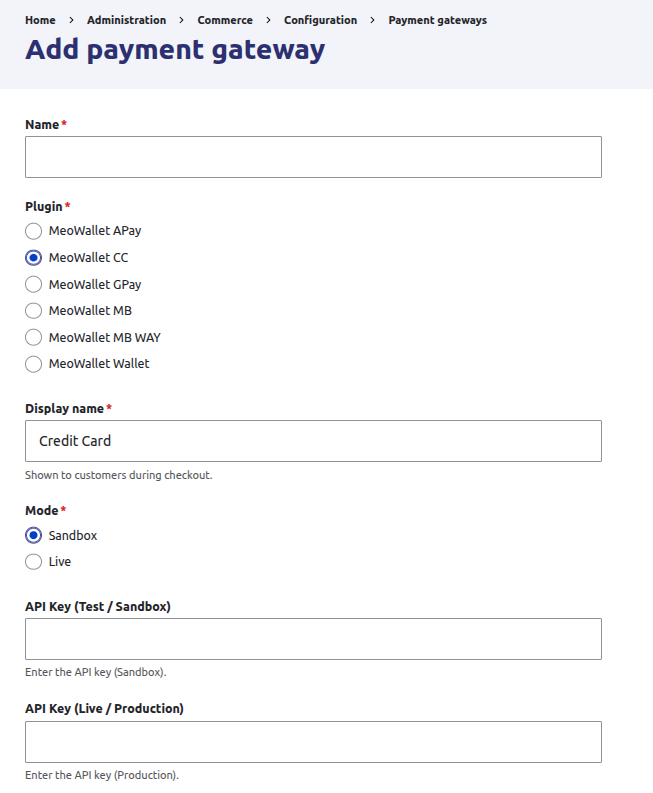
Create: Select “Add payment gateway” > Choose the name for backoffice name and select from the following options:
- MeoWallet Wallet
- MeoWallet CC
- MeoWallet Apay
- MeoWallet Gpay
- MeoWallet MB
- MeoWallet MB WAY
- API Keys: Enter your Sandbox API Key for testing and your Production API Key for live sales.
-
Environment: Ensure the environment is set to Production when you are ready to go live.
MB WAY Checkout Pane
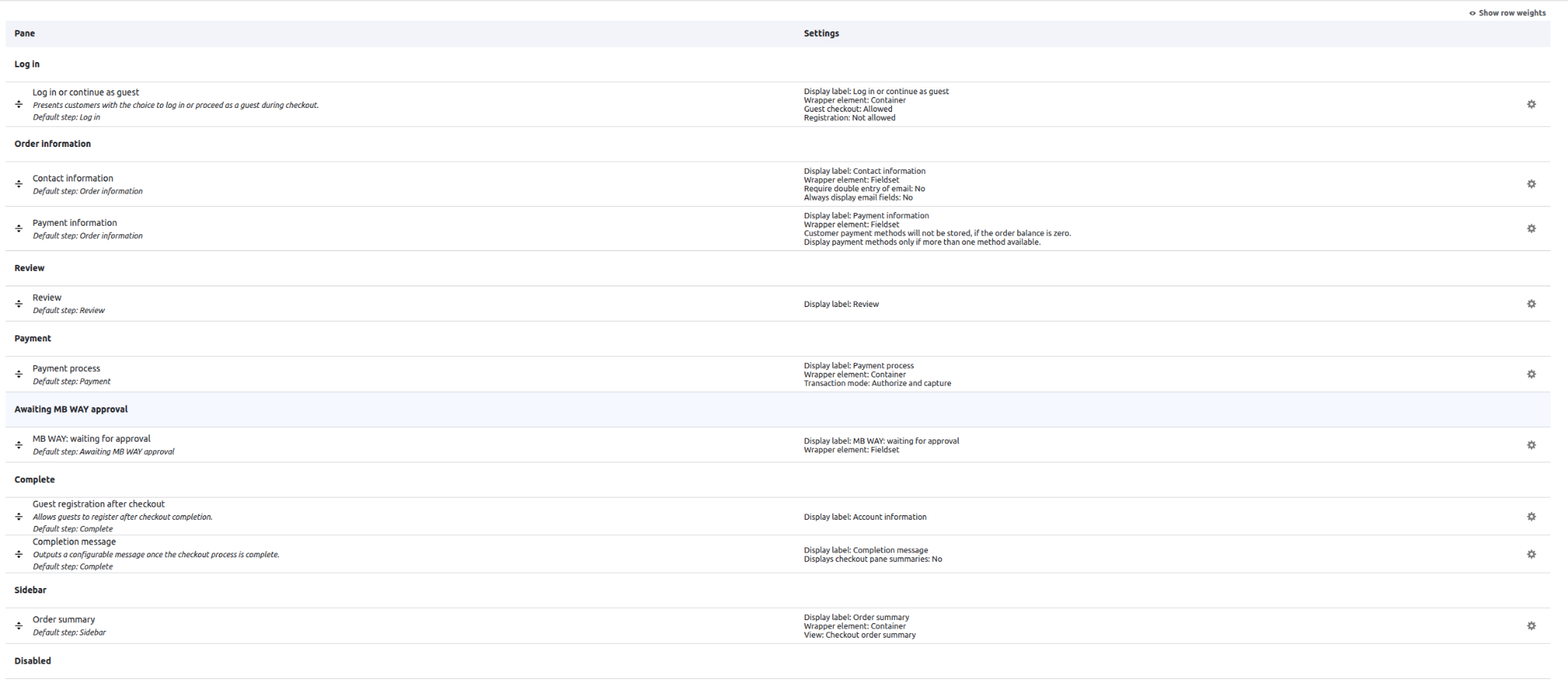
By default, the MB WAY checkout pane is not enabled to appear in your checkout flow. To activate follow the steps below:
- Configure: Navigate to Commerce > Configuration > Orders > Checkout flows.
- Checkout flow: Select your checkout flow (or create one).
-
Activate: Drag the pane “MB WAY: waiting for approval” to the step “Awaiting MB WAY approval”
Note
Commerce MeoWallet plugin comes with the step “Awaiting MB WAY approval”, if you wish to use a different one, you can create a new step following the official Commerce guide.
Testing (Sandbox)
The Sandbox environment allows you to simulate payments without real money transactions. You can use the test credit cards provided in our sandbox page to simulate successful payments and top up your sandbox wallet balance.